INDUSTRY GUIDES
AI for medical practices: patient intake, scheduling, and admin work
Medical practices do not need AI making clinical calls. They need help with the administrative work that keeps patients waiting and staff buried.
What matters
The short version.
01
Automate appointment requests, intake form follow-up, referral routing, and routine patient communication.
02
Keep diagnosis, treatment guidance, and clinical triage with licensed staff.
03
Use healthcare-grade security, access controls, logging, and approved vendor agreements before handling patient data.
01
The best first use case is front office relief
Most medical practices feel AI value first in scheduling, intake, reminders, prescription refill routing, referral follow-up, and insurance document collection. These workflows are repetitive, time-sensitive, and administrative, which makes them good candidates for automation.
02
Clinical boundaries matter
AI should not diagnose patients, recommend treatment, or replace clinical judgment. The system should collect structured information, answer approved administrative questions, and route anything clinical to the right staff member with context attached.
03
Integration is where the payoff happens
The system becomes much more useful when it connects to scheduling, forms, document storage, and your practice management workflow. Patients get faster answers, and staff stop retyping the same details from voicemail, email, and intake PDFs.
The workflow
Front office relief first. The clinical line, drawn before anything ships.
Almost every credible AI win in a medical practice happens before a clinician is involved: the same twenty questions, the same intake chase, the same insurance lookup, all day, during the hours you are trying to see patients.
01
Answer
Hours, insurance, what to bring, what the practice treats — resolved without the front desk picking up.
02
Collect
Appointment requests and intake arrive structured, so patients are ready to be seen instead of starting on a clipboard.
03
Route
Anything clinical goes to staff or the doctor as a reviewable item with context, not another interrupting call.
04
Follow up
Intake reminders, referral status, insurance documents, and balances chase themselves.
In scope — answered instantly
Administrative, policy, and logistics questions the practice has already approved an answer for.
- Hours, locations, parking, and directions
- What the practice treats, and what a first visit looks like
- Which insurance plans are accepted and what to bring
- How to pay a bill, or start the new-patient process
- Appointment requests and intake packet reminders
- Referral and records status, in administrative terms
Out of scope — routed to a human
Anything clinical stops the automation and hands off with the context already collected.
“Is this rash something you treat, or should I see someone else?”
Clinical staff, with the description already captured
“Should I stop taking this medication before my visit?”
The doctor's queue — never answered by the assistant
“My foot is numb and cold since this morning.”
Flagged as urgent, escalated immediately, with a call-now instruction
“Can you tell me what my test results mean?”
Licensed staff through the record system, not chat
Note what that structure does to your risk profile. The assistant is not making judgment calls and then being audited for them — it is answering questions the practice already wrote answers to, and handing off everything else with the details captured. Protected health information stays inside systems with the agreements, encryption, access controls, and audit logs to justify holding it. Consumer chat widgets are not that.
Field-tested
We rebuilt a two-location podiatry practice’s front door — and the phone stopped being the only way in.
Dr. John M. O’Hanlon, DPM runs Armonk-Somers Podiatry across two Westchester locations. Well established, well reviewed, well run — with a brochure website that could not do anything. Every routine task still routed through the front desk during clinic hours.
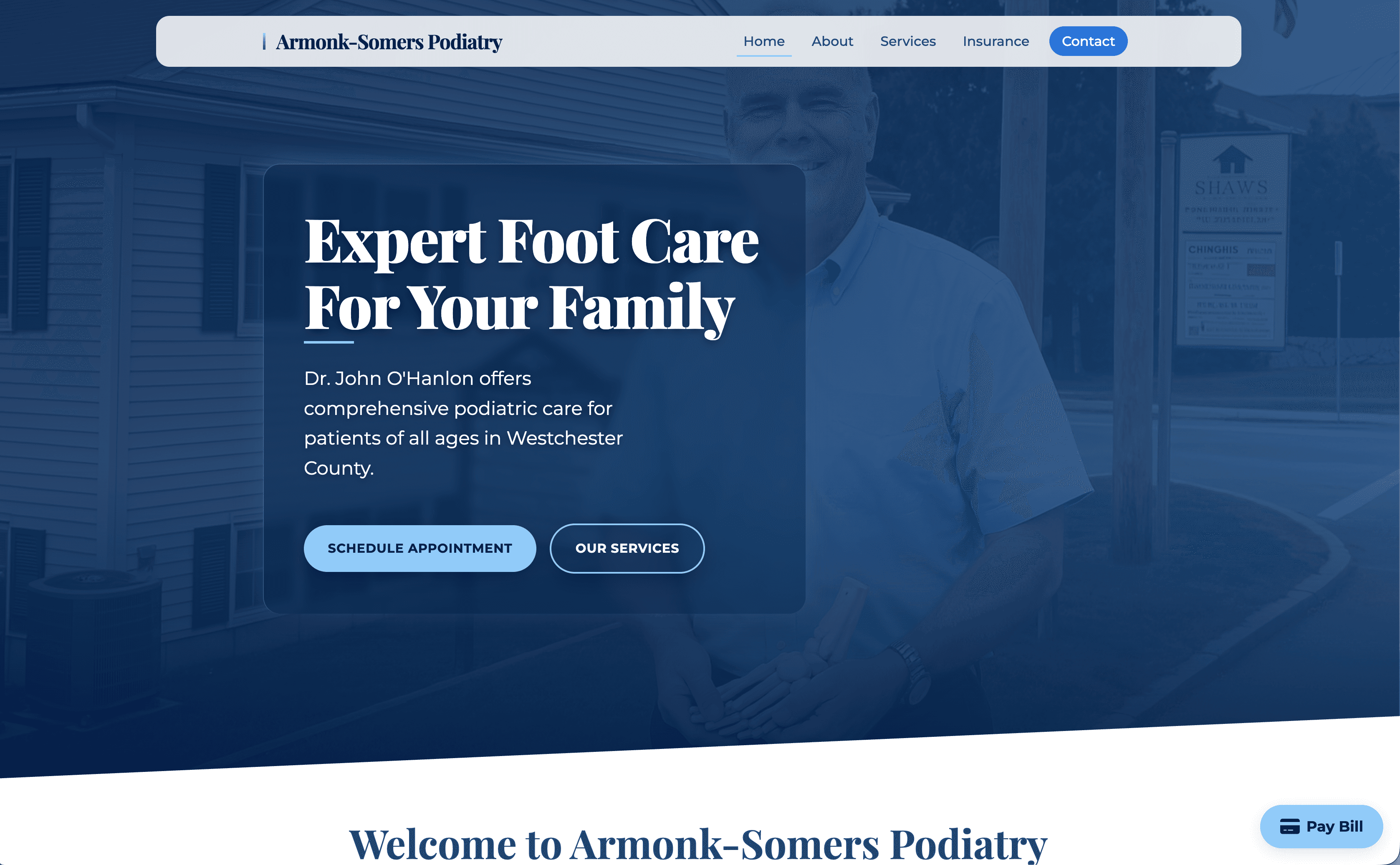
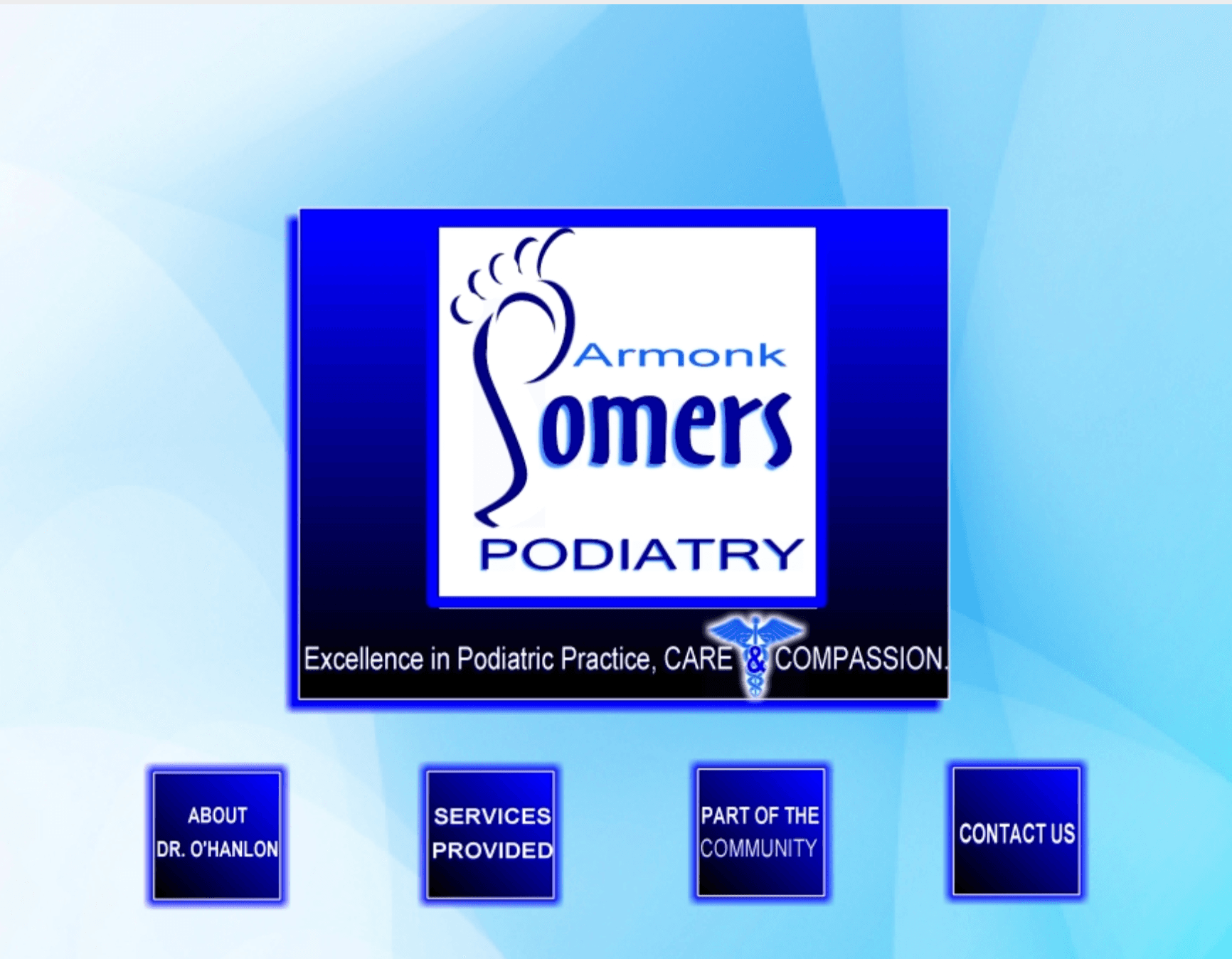
Every routine question was a phone call.
Insurance, billing, what to bring to a first visit, whether a particular condition is something the practice treats: all of it consumed front-desk attention while patients were in the waiting room. We built one custom site where patients view services and FAQs, sign up as a new patient, complete intake digitally, check insurance, book, pay a bill, and message the office — instead of stitching together five per-seat tools that each behave differently.
Routine patient questions
Phone-first answers vs. site-first resolution
A safeguarded assistant, not a chatbot.
The assistant is tightly scoped to what the practice wants it to handle: logistics, hours, services offered, insurance questions, what to expect at a visit, how to prepare, how to pay, how to become a new patient. It does not diagnose, it does not give medical advice, and anything outside its lane is routed to the doctor or the office rather than guessed at.
Patients also get an asynchronous way to reach the doctor directly. The assistant handles what it should, the office handles what it should, and what genuinely needs the doctor arrives in a structured, reviewable queue instead of as another interrupting call during a clinic day. That separation is what makes it sustainable — the doctor stays accessible without being on call for every routine question.
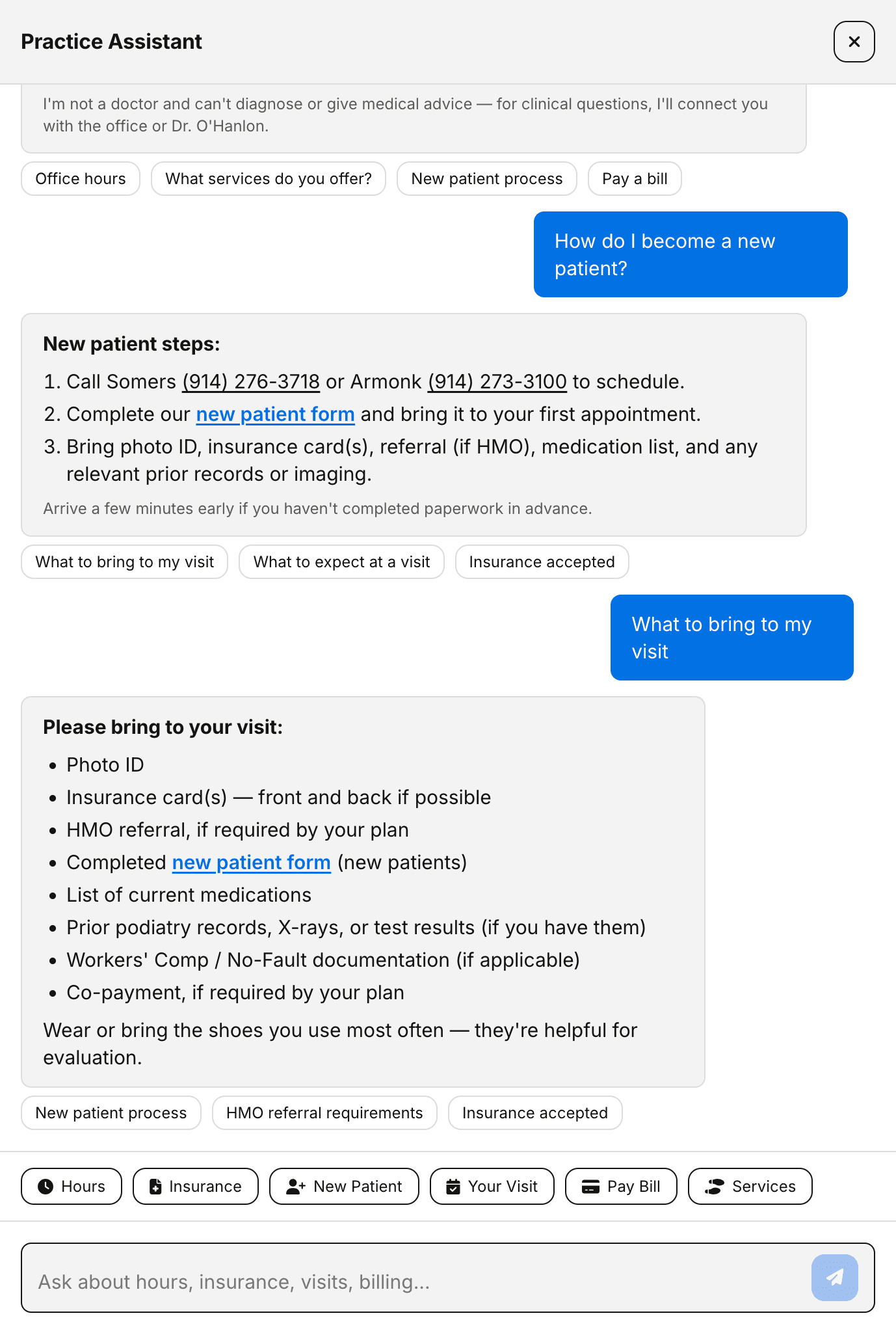
In a medical practice, the most important thing an AI assistant can do is know when to stop talking and hand off to a human.
Being found is half of it.
A portal only pays off if people reach it. We rebuilt the Google Business Profile from the ground up and tuned on-site SEO so Maps discovery and organic search pull in qualified traffic, then the portal gives those visitors something to do when they land. Together it is pulling roughly twice the views the brochure setup was getting — and not just existing patients looping back for bill pay, but a noticeably larger slice of cold impressions.
Impressions vs. timeline
Brochure era vs. searchable presence
The downstream effect is the one that matters: new-patient signups now arrive through the site instead of the front-desk phone line. On the old brochure site that number was effectively zero.
What transfers to your specialty.
Podiatry is not special here. Every small specialty practice has the same set of unglamorous workflow gaps, usually left unbuilt because the off-the-shelf options are expensive, generic, or both.
Before, at a two-location podiatry practice
What the same build gives a practice like yours
Brochure site with hours, an address, and a phone number
A page for every condition you treat, so patients arrive already qualified
Insurance questions answered by the front desk during clinic hours
Self-serve insurance and policy answers, available at 10 PM
Intake on a clipboard at the start of the visit
Digital intake completed before arrival, in the patient record
Bills settled at the next appointment
Online bill pay in a few taps from a phone
Patients calling the office to reach the doctor
An async channel that reaches the doctor in a reviewable queue
A Google Business Profile nobody maintained
Maps and organic search feeding a portal that gives visitors something to do
The practice is still small, still personal, still run by the same doctor. What changed is the surface patients interact with — and the practice owns it end to end, rather than renting it from someone else’s roadmap.
All of the above is a pattern until it is about your specialty, your patient volume, and the staff you actually have.
Research brief / 001
Your company, under the lens.
AI-generated research can be incomplete or inaccurate. Verify important findings before acting.
Research brief / 001
Your company, under the lens.
Related services
AI-Powered Customer Service
Support that actually understands context, remembers past conversations, and resolves issues, not just deflects them. Your customers get instant, intelligent help 24/7.
Intelligent Document Processing
Contracts, invoices, applications, AI that reads, extracts, and routes information from any document format. Hours of manual entry become seconds.
Process Automation
The tedious work that eats your week? Automated. From invoice processing to report generation, we build intelligent workflows that handle the busywork so you don't.
AI Security
Intelligent threat detection that learns your systems, predicts vulnerabilities before they're exploited, and responds to incidents in real-time, faster than any human team could.
Related use cases
CUSTOMER COMMUNICATION
AI Customer Communication
For businesses losing opportunities because every inbound message waits for the same busy humans to read, qualify, route, and respond.
DOCUMENT AI
AI Document Processing
For teams still paying humans to find, read, copy, clean, and verify information that should flow through software.
Continue reading
AI for Dental Practices
Dental practices lose patients to slow response and phone tag. AI handles the repetitive communication so your front desk focuses on patients in the chair.
AI Receptionist
An AI receptionist handles the first pass on every inbound message so nothing waits in silence while your team is busy.
Questions
It can be when the system is built with the right agreements, encryption, access controls, audit logs, and data handling policies. Consumer chat widgets are not the right place for protected health information.
Start with non-clinical workflows: appointment requests, intake packet reminders, referral status updates, insurance document collection, and after-hours message handling.
Patients trust fast, accurate communication. Keep the automation transparent, helpful, and limited to approved administrative tasks, with easy handoff to staff when needed.
Next step
Map the admin workflow slowing your practice down
Tell us where patients wait the longest: intake, scheduling, referrals, or follow-up. We will scope the first AI workflow around that bottleneck.